
OnAir – Jersey Conflicts & Text Overrides
When two players in a matchup share the same jersey number, on-air graphics and stats can attach to the wrong player. Sportradar OnAir now includes a tool that flags these jersey conflicts and lets you override the context number used to identify each player — so the right data reaches the right player on screen.
View more details here.
ℹ️ How It Works
On the matchup page, jersey conflicts appear as a Jersey # Duplicates count alongside a Manage button.
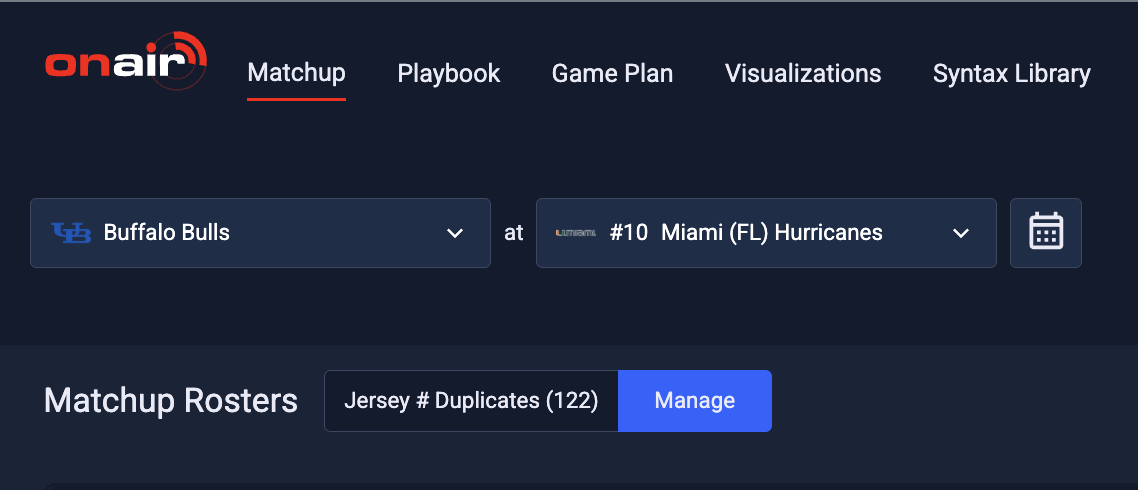
Click Manage to open the Duplicate Jersey Override dialog, where you can set a Context Number Override for each affected player and save it.
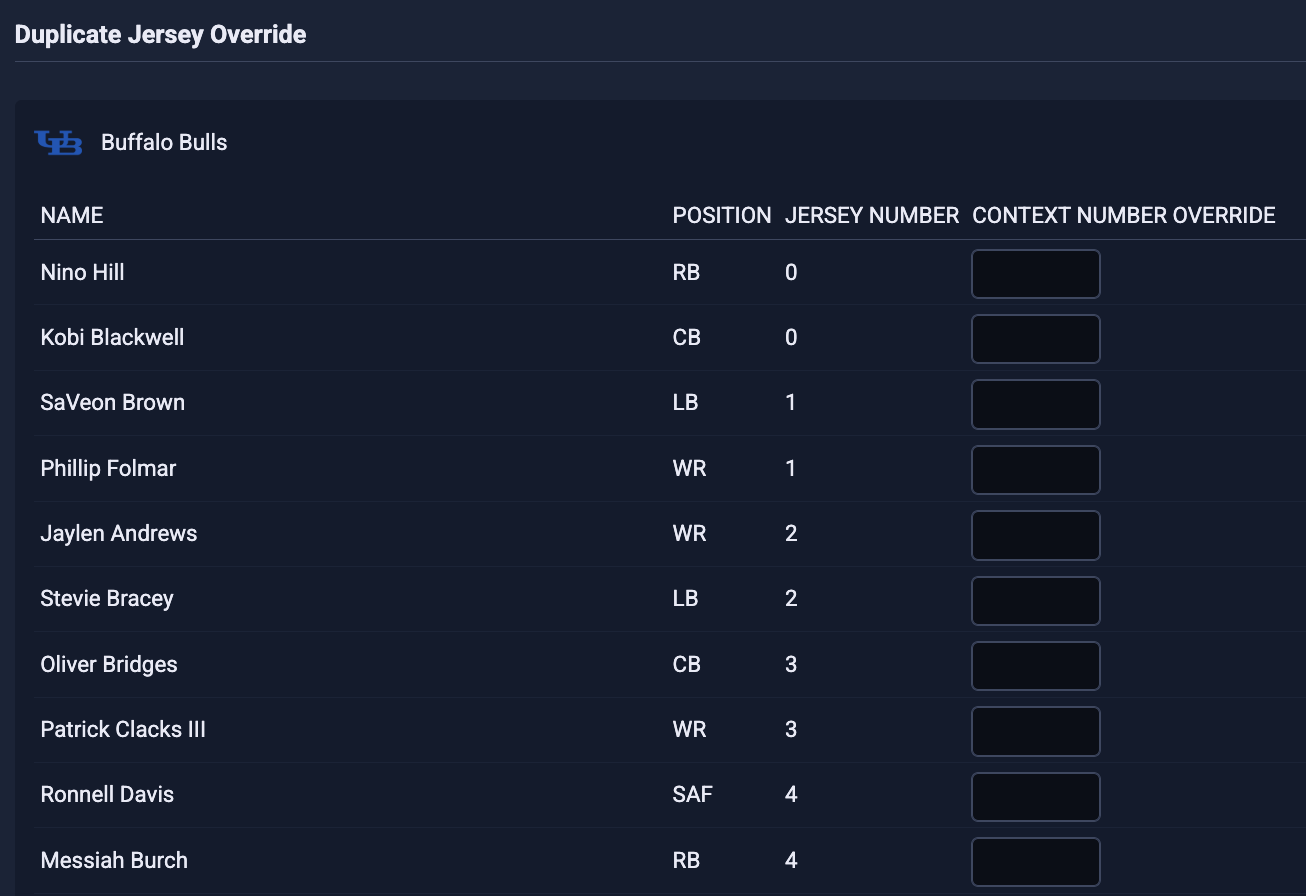
This override affects both the page number the players are written to in the Playbook and any context_number attribute info queries. To adjust a player's jersey_number display attribute instead, use the existing Override page within the Settings menu.
⭐ Benefit
Resolve jersey number conflicts before they reach air, ensuring player graphics, stats, and Playbook pages are attributed to the correct player during live broadcasts.
📋 Recommended Actions
- On the matchup page, review the Jersey # Duplicates count for each team.
- Click Manage to open the Duplicate Jersey Override dialog and set a Context Number Override for any affected player, then save.
- To change how a player's jersey number displays, use the Override page under the Settings menu instead.
- Confirm your Playbook pages and any
context_numberqueries reflect the override before going on air.
🔢 Products
| Sport | Product |
|---|---|
| Broadcast Support | Sportradar OnAir |